
Digital Passport Photo for Online Renewal: Requirements and How to Get One
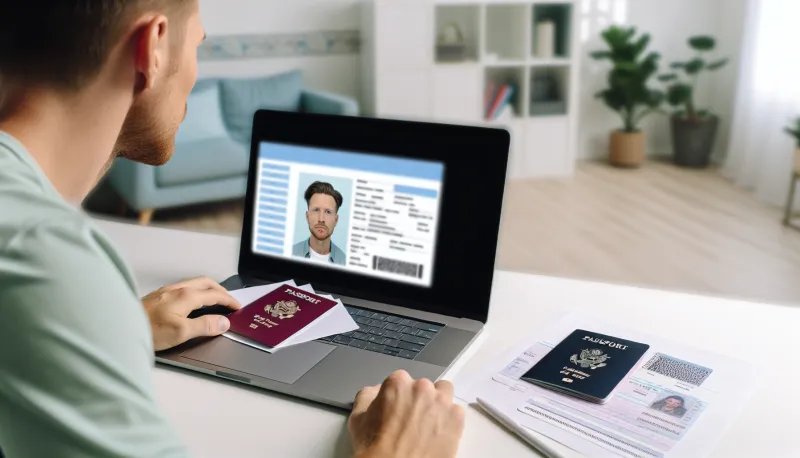
Quick Summary
The online passport renewal system requires a digital JPEG photo that's 600x600 to 1200x1200 pixels, under 10MB, with a plain white background, even lighting, and correct head size proportions. AI-edited or enhanced photos are prohibited. DIY attempts have a high rejection rate due to lighting, background, and sizing issues. Professional passport photo services provide compliant digital files and in-person verification, avoiding the weeks of delay that come with rejected submissions.
- Digital passport photos must be JPEG, 600x600 to 1200x1200 pixels, under 10MB, with a plain white background
- Head must occupy 50-69% of the image height, centered, with even lighting and no shadows
- AI enhancement, beauty filters, and background replacement are prohibited under 2026 rules
- iPhone users must disable HEIC format and beauty/portrait modes before shooting
- Rejected photos add 2-4 weeks to processing time during a critical renewal period
- Professional services provide the digital file formatted to exact specifications with compliance verification
The U.S. State Department's online passport renewal system requires a digital photo file that meets specific technical and compositional requirements, and the rejection rate for self-taken photos is significantly higher than for professional ones. Getting your digital passport photo right the first time saves weeks of delay. Getting it wrong means restarting the process.
The online renewal system launched to reduce in-person appointments and mail processing times. It's faster and more convenient than the traditional paper application, but the digital photo requirement introduces a new set of challenges. The photo must satisfy both technical specifications (file format, dimensions, file size) and compositional requirements (head size, background, lighting, expression) that the State Department enforces strictly. For the complete list of all current requirements, see our 2026 passport photo requirements guide.
At Kubus Photo Service in Brooklyn, we've been producing passport photos since 1994. We've adapted to every format change, requirement update, and specification revision over three decades. The digital photo requirement for online renewal is the latest evolution, and we've been helping customers navigate it since the system launched. This guide shares everything you need to know.
The Online Passport Renewal System: How It Works
The State Department's online renewal system allows eligible U.S. passport holders to renew without visiting an acceptance facility or mailing their current passport. The process is completed entirely online, including the photo submission.
Eligibility for Online Renewal
Not everyone qualifies for online renewal. To be eligible, you generally must:
- Be a U.S. citizen age 25 or older
- Have a current or recently expired (within 5 years) U.S. passport book
- Your most recent passport must have been issued when you were age 16 or older
- Your passport is or was a 10-year validity passport
- Your name has not changed, or you can document a legal name change
- You're not requesting additional visa pages or changes beyond a standard renewal
If you meet these criteria, you can complete the entire renewal process online at travel.state.gov, including uploading your digital passport photo. If you don't qualify, you'll need to apply in person or by mail with a physical printed photo.
Why the Digital Photo Matters
The photo you upload becomes your official passport photo for the next 10 years. It's used for facial recognition matching at border crossings, embedded in the passport's electronic chip, and printed in the passport book. The State Department has strict requirements because this photo serves as a government-issued identification document used internationally.
A rejected photo means your entire renewal application is put on hold. You'll receive a notification to resubmit, which adds days or weeks to the processing time. (If this happens to you, our guide to fixing a rejected passport photo walks through every common issue and solution.) During peak renewal season (spring and summer), this delay can push your new passport arrival past planned travel dates.
Digital Passport Photo Technical Requirements
The State Department specifies exact technical parameters for digital passport photos submitted through the online renewal system.
File Format
The photo must be in JPEG format (.jpg or .jpeg). No other file formats are accepted. PNG, TIFF, HEIC, BMP, and PDF files will be rejected by the upload system. If your photo is in another format, you'll need to convert it to JPEG before uploading.
Note: iPhone cameras default to HEIC format in many configurations. If you're using an iPhone to take your photo, either change your camera settings to capture in JPEG (Settings > Camera > Formats > Most Compatible) or convert the HEIC file to JPEG before uploading.
Dimensions
The digital photo must be square, with dimensions between 600x600 pixels and 1200x1200 pixels. The State Department recommends aiming for the higher end of this range for best quality. Photos outside this range, either smaller than 600x600 or larger than 1200x1200, will be rejected.
This is a different aspect ratio than the traditional 2x2 inch printed passport photo, which is also square but specified in physical dimensions rather than pixel dimensions. The key point is that the photo must be perfectly square, with equal width and height.
File Size
The photo file must be under 10 megabytes (MB). This is a generous limit. A 1200x1200 JPEG at standard compression will typically be 200-500 KB, well under the limit. You're unlikely to hit this ceiling unless you're saving at extremely low compression (high quality) or the file has been inflated by metadata.
Image Quality
The photo must be in focus, with adequate resolution, free of visible noise or artifacts, and properly exposed. Blurry, grainy, or heavily compressed images will be rejected.
The system includes automated quality checks that can flag images for insufficient resolution, excessive noise, or compression artifacts before a human reviewer examines them.
Compositional Requirements
Beyond the technical specifications, the photo must meet the same compositional requirements that apply to printed passport photos. These requirements exist because the photo must work with facial recognition systems and be identifiable at border crossings.
Head Size and Position
Your head (measured from the top of your hair to the bottom of your chin) must occupy between 50% and 69% of the total image height. In a 1200x1200 pixel image, this means your head should measure between 600 and 828 pixels from crown to chin.
Your head must be centered horizontally in the frame. Your eyes should be positioned between 56% and 69% of the image height measured from the bottom of the image (meaning roughly in the upper half of the frame).
This is one of the most common rejection reasons for DIY photos. People either stand too far from the camera (head too small) or crop too tightly (head too large). The proportions need to be precise.
Background
The background must be plain white or off-white. No patterns, no gradients, no visible objects, no shadows on the background, and no texture. The background should be evenly lit without dark spots, hot spots, or color casts.
A white wall is not always a white background. Walls that appear white to your eye often photograph as gray, cream, blue-gray, or yellow depending on the lighting. Shadows from your head and body on the wall behind you are a common rejection cause. Proper passport photos require distance between the subject and the background to eliminate shadows, plus controlled lighting on the background itself.
Lighting
Lighting must be even across your face with no harsh shadows. Both sides of your face should be equally illuminated. There should be no shadow under your nose, chin, or brow ridge that obscures facial features. No strong directional light that creates one brightly lit side and one dark side.
Natural light from a large window can work if it's diffused (overcast day, sheer curtains) and you're positioned facing the light source. Direct sunlight creates harsh shadows. Overhead indoor lighting creates shadows under the brow, nose, and chin. Multiple light sources from different angles create competing shadows.
Professional passport photo setups use controlled flash or continuous lighting specifically positioned to eliminate shadows and provide even illumination across the face.
Expression and Appearance
- Neutral expression: Neither smiling broadly nor frowning. A natural, relaxed expression with mouth closed. Slight, natural smiles are generally acceptable, but open-mouthed smiles or exaggerated expressions are not.
- Eyes open and visible: Both eyes must be clearly visible and open. If you wear glasses, see the glasses section below.
- Face directly toward camera: No tilting, no turning. Your face should be square to the camera with both ears equally visible.
- No head coverings: With the exception of head coverings worn daily for religious purposes, hats, headbands, scarves, and other head coverings are not permitted.
Glasses
As of 2016, the State Department strongly discourages wearing glasses in passport photos. Glasses create reflections, shadows, and obstructions that interfere with facial recognition technology. If you normally wear glasses, remove them for your passport photo.
The only exception is if you cannot remove your glasses due to a medical condition, in which case you'll need a signed statement from a medical professional explaining the necessity. Even then, the glasses cannot create glare, shadow, or obstruction of the eyes.
Recency
The photo must represent your current appearance. Photos taken more than 6 months prior to application submission may be rejected if your appearance has changed significantly. Changes in hair color, facial hair, weight, or aging can trigger a mismatch between the photo and your current appearance.
For online renewal specifically, the system may compare your submitted photo against the photo in your current passport as part of the verification process. Significant changes in appearance between the two photos may require additional documentation.
Mail-In Your Film From Anywhere
Ship your film to our Brooklyn lab and get professional scans delivered to your inbox. Free shipping on 4+ rolls.
The 2026 AI Editing Ban and Digital Photos
The State Department has expanded its prohibition on digitally altered photos, and this applies fully to digital submissions for online renewal. AI-enhanced, AI-generated, or significantly digitally manipulated photos are prohibited.
What Counts as Prohibited Editing
- AI enhancement tools: Apps and software that use AI to smooth skin, adjust facial features, whiten teeth, change eye appearance, slim faces, or otherwise alter facial characteristics. This includes built-in smartphone "beauty mode" filters, portrait mode effects that alter skin texture, and dedicated apps designed to "improve" selfies.
- AI-generated photos: Photos created entirely by AI from text prompts or reference images. These are not photographs and are explicitly banned.
- Background replacement: Using software to replace a non-compliant background with a white background. The State Department can often detect artificial backgrounds through inconsistent lighting, edge artifacts, and shadow analysis.
- Significant retouching: Removing blemishes, scars, tattoos, or other identifying features. The photo must represent your actual appearance.
What Is Permitted
- Basic brightness and contrast adjustment
- Cropping to meet dimension requirements
- Color balance correction to achieve accurate skin tones
- Red-eye removal (though this is rarely an issue with modern flash photography)
- Standard JPEG compression
The distinction is between adjustments that make the photo technically correct (brightness, contrast, crop) and alterations that change your appearance (smoothing, reshaping, feature enhancement). The former is fine; the latter is prohibited.
Why This Matters for Digital Submissions
The online renewal system processes digital files through automated analysis that can detect certain types of manipulation. Additionally, human reviewers examine photos for compliance. Photos flagged for potential AI enhancement or manipulation are rejected.
Many smartphone camera apps apply AI enhancement by default. "Scene optimization," "AI camera," "beauty mode," and similar features may engage without explicit activation. If you're taking a passport photo with a smartphone, disable all enhancement features and shoot in the most basic, unprocessed mode available.
Common Digital Photo Rejection Reasons
Understanding why photos get rejected helps you avoid the most common mistakes.
Technical Rejections
Wrong dimensions: The photo isn't square, or it falls outside the 600x600 to 1200x1200 pixel range. This is easily checked before uploading by viewing the file's properties on your computer or phone.
Wrong file format: Submitting a HEIC, PNG, or other non-JPEG file. Convert to JPEG before uploading.
Insufficient resolution or quality: The photo is blurry, noisy, or shows compression artifacts. This typically happens when cropping a small section of a larger photo (which reduces effective resolution) or using a low-quality camera in poor light.
Compositional Rejections
Head too small or too large: The most common compositional rejection. DIY photos frequently have the subject standing too far from the camera or cropping too tightly.
Background not white/uniform: Textured walls, off-white backgrounds, visible shadows on the background, or objects visible behind the subject.
Uneven lighting: Shadows on the face, one side brighter than the other, harsh overhead lighting creating eye socket shadows, or backlight making the face appear dark.
Expression: Smiling too broadly, mouth open, eyes closed or partially closed, head tilted or turned.
Glasses: Reflections, shadows from frames, or partial obstruction of the eyes.
AI/Editing Rejections
Beauty filters detected: Skin smoothing, facial reshaping, or feature enhancement artifacts detected in the image.
Artificial background: Software-generated white background with inconsistent lighting or visible edge artifacts around the subject.
Composite image: Evidence that the photo was assembled from multiple sources rather than taken as a single exposure.
DIY Methods: Can You Take Your Own Digital Passport Photo?
Yes, it's technically possible to take a compliant digital passport photo yourself. But the failure rate is high, and the consequences of rejection (delayed processing, missed travel dates) make DIY a risky approach for most people.
Smartphone Method
Setup: Find a plain white wall with good, even lighting. Natural light from a large window on an overcast day works best. Position yourself 3-4 feet from the wall (to prevent shadows on the background) and have someone hold the phone 4-6 feet away from you at eye level.
Camera settings: Disable all AI enhancement, beauty modes, portrait modes, and scene optimization. Set the camera to shoot in JPEG format (not HEIC or RAW). Use the rear camera, not the front-facing selfie camera, for better image quality.
Composition: Center your face in the frame. Your head should occupy roughly the middle 50-69% of the vertical space. Both shoulders should be visible. Look directly at the camera.
Post-capture: Crop the image to a perfect square with your head properly sized and centered. Verify the dimensions are between 600x600 and 1200x1200 pixels. Save as JPEG.
DSLR or Mirrorless Camera Method
If you own a digital camera with manual controls, you can produce technically superior results. Use a portrait-length lens (50-85mm equivalent), set a low ISO for minimal noise, use a small aperture (f/5.6-f/8) for adequate depth of field, and light the subject and background with flash or continuous lighting.
This method can produce professional-quality results but requires photography knowledge, proper lighting equipment, and post-processing skill for cropping and export.
Risks of the DIY Approach
Lighting problems: Most home environments don't have the even, shadow-free lighting that passport photos require. Overhead room lights create shadows under the brow and nose. Window light is directional. Mixed light sources create color casts.
Background issues: Walls that look white to your eye may photograph as gray, cream, or blue depending on lighting. Shadows from your body on the wall behind you are almost inevitable without professional-grade separation between subject and background.
Head size and positioning: Without a template or guide, getting the head size within the 50-69% range and properly centered is surprisingly difficult. Most DIY attempts require multiple tries.
Undetected AI enhancement: Many smartphones apply subtle AI processing by default that you may not even notice. Skin smoothing, noise reduction, and dynamic range optimization can be applied automatically. The State Department's detection systems may flag processing that you didn't intentionally apply.
No compliance verification: When you take your own photo, you have no expert confirming it meets all requirements. You upload, wait, and discover whether it passed only when the State Department processes your application, potentially weeks later.
The Professional Advantage
Professional passport photo services exist specifically to produce compliant photos reliably. The advantages over DIY are concrete and practical.
Controlled Environment
Professional studios and photo service locations have dedicated setups for passport photos: calibrated lighting, proper white backgrounds, and controlled exposure settings. The lighting is designed specifically to meet passport photo requirements: even illumination across the face, no harsh shadows, correct white balance.
At Kubus Photo Service, our passport photo setup has been refined over 30 years of producing photos for U.S. passports, visa applications, green cards, and other government documents. The setup eliminates the variables that cause DIY rejections.
Expert Compliance Check
A professional who produces passport photos daily knows the requirements from memory and verifies compliance before you leave. Head size, centering, background uniformity, expression, lighting, glasses, and all other criteria are checked in real time. If something isn't right, we retake immediately.
This human compliance check is the most valuable part of professional service. The State Department requirements are specific and sometimes counterintuitive. Having someone who knows exactly what's required verify your photo before submission prevents the delayed-rejection scenario that catches DIY photographers.
Digital File Delivery
Professional photo services can provide the digital file formatted exactly to State Department specifications: square crop, correct pixel dimensions, JPEG format, proper file size. No additional processing, conversion, or cropping required on your end. You receive a file ready to upload.
At Kubus Photo Service, we provide both the physical printed 2x2 inch photos (for in-person or mail-in applications) and the digital file for online renewal, so you're covered regardless of which application method you use.
Guaranteed Acceptance
Many professional passport photo providers, including Kubus Photo Service, guarantee that the photo meets government requirements. If your photo is rejected for a compliance reason (not due to identity mismatch or application issues), you get a retake at no cost.
This guarantee doesn't exist with DIY photos. If your self-taken photo is rejected, you absorb the delay and need to produce a new photo on your own.
How Kubus Photo Service Can Help
We've been producing passport photos in Brooklyn since 1994, now at our new location in Williamsburg. In the time since the online renewal system launched, we've adapted our workflow to provide digital files alongside traditional prints.
What we provide:
- Professional passport photos taken in our studio with proper lighting and white background
- Physical 2x2 inch printed photos for mail-in or in-person applications
- Digital JPEG file formatted to State Department specifications for online renewal upload
- Compliance verification by experienced staff before you leave
- Photos for all ages, including infants and small children
- Photos for international visas, green cards, and other government IDs in addition to U.S. passports
No appointment necessary. Walk in during business hours, and we'll have your photos ready in minutes.
Learn more about our passport and ID photo services at /us-passport-and-id-photos.
Step-by-Step: Uploading Your Digital Passport Photo
Once you have a compliant digital photo file, here's how the upload process works in the online renewal system.
Step 1: Log in to the State Department's online renewal system at travel.state.gov.
Step 2: Complete the application form sections for personal information, travel plans, and emergency contact.
Step 3: When you reach the photo upload section, click the upload button and select your JPEG file from your computer or phone.
Step 4: The system performs automated checks on the uploaded photo. It verifies file format, dimensions, file size, and runs basic quality analysis. If the automated checks pass, you'll see a confirmation.
Step 5: Review the photo preview. Confirm that the crop, centering, and overall appearance look correct.
Step 6: Submit the photo and continue with the remaining application steps (payment, review, final submission).
If the automated check fails: You'll receive an error message describing the issue (wrong format, wrong dimensions, quality insufficient, etc.). Correct the issue and re-upload. If you consistently fail automated checks with a DIY photo, consider having a professional produce a compliant file.
After submission: A human reviewer at the State Department will examine your photo as part of the application review process. If the photo passes automated checks but fails human review, you'll receive a notification to resubmit. This notification typically arrives 2-4 weeks after submission, which is why getting it right the first time matters.
Passport Photo for Other Application Types
The digital photo format is specifically for the online renewal system. Other passport application methods have different photo requirements.
Form DS-82 (mail-in renewal): Requires two identical 2x2 inch physical printed photos. No digital file needed.
Form DS-11 (new passport / in-person): Requires one 2x2 inch physical printed photo. No digital file needed.
Passport card: Same photo requirements as the passport book, whether applying online or by mail.
If you're applying by mail or in person, you need printed photos rather than a digital file. Most professional photo services, including Kubus Photo Service, provide printed photos as the standard product, with digital files available for online renewal customers.
Frequently Asked Questions
Can I use a selfie for my online passport renewal photo?
Technically, a selfie can meet the requirements, but selfies present several problems. Front-facing phone cameras are lower quality than rear cameras and apply more aggressive AI processing (skin smoothing, wide-angle facial distortion). The arm-length distance typically produces incorrect head proportions. Self-framing without a mirror or guide makes centering difficult. Most passport photo rejections from DIY attempts involve selfies. Having someone else take the photo with the rear camera, or using a professional service, produces significantly better results.
What happens if my digital passport photo is rejected?
You'll receive a notification from the State Department explaining the rejection reason. You'll need to produce a new compliant photo and re-upload it through the system. The rejection adds processing time to your renewal, typically 2-4 weeks depending on when in the review cycle the rejection occurs. Your application is not canceled, but it's paused until you provide a compliant photo.
How much does a professional digital passport photo cost?
Prices vary by provider and location. Professional passport photo services typically include both printed photos and the digital file. Contact your local provider for current pricing. At Kubus Photo Service, visit our passport and ID photo page for details.
Can I crop a regular photo to passport dimensions?
You can, but the result usually doesn't meet requirements. Regular photos are taken with different framing, lighting, and background than passport specifications require. Cropping a head shot from a group photo or casual portrait typically produces incorrect head size ratios, non-white backgrounds, uneven lighting, and insufficient resolution (since you're enlarging a small portion of the original image). It's better to take a dedicated photo specifically for the passport application.
Do I need a digital photo if I'm renewing by mail?
No. Mail-in renewals (Form DS-82) require physical 2x2 inch printed photos, not digital files. The digital photo requirement is specific to the online renewal system. If you're renewing by mail, get standard printed passport photos from a professional service.
How recent does my passport photo need to be?
The photo must have been taken within the last 6 months. It must reflect your current appearance. If you've significantly changed your appearance (major weight change, different hair color, new or removed facial hair, aged noticeably) since the photo was taken, even within 6 months, it may be questioned during the review process.
Are passport photo apps reliable?
Passport photo apps vary widely in quality. Some produce files that technically meet dimensional requirements but fail on lighting, background, or head size compliance. Others apply AI enhancement that violates the State Department's editing restrictions. The fundamental problem with apps is that they can only work with the photo you provide. If the original image has poor lighting, a non-white background, or incorrect framing, no app can fix those issues reliably. Professional photo services eliminate these variables at the source.
Related Articles
US Passport Photo Requirements 2026: Complete Rules Including New AI Ban
Every current US passport photo requirement for 2026, including the January 2026 State Department ban on AI-generated and AI-enhanced photos. Covers dimensions, background, expression, glasses rules, baby photos, digital submissions, and the most common rejection reasons.
Passport Photo Rejected? Here's Why (And How to Fix It Fast)
Passport photo rejected? Learn the top 10 reasons photos fail in 2026 and exactly how to fix each one. Based on 30 years of taking compliant passport photos at Kubus Photo Service in Brooklyn.
Visa Photo vs Passport Photo vs Green Card Photo: Requirements Compared
A detailed comparison of US passport photo, visa photo, and green card photo requirements including exact specifications, common rejection reasons, EU and Canadian specs, and how to get compliant photos for any document type.
Ready to Develop Your Film?
We're a family-run film lab in Williamsburg, Brooklyn, developing film since 1994. Whether you drop off in store or mail your rolls from anywhere in the US, we treat every frame with care.
How to Mail In Film for Developing: Complete Step-by-Step Guide
Learn exactly how to safely mail your film for professional developing. Step-by-step guide covering packing, shipping options, what to expect, and how to get the best results from a professional film lab.
Read the Complete Guide