
Does CVS Still Develop Film in 2026? What to Know Before You Go
Quick Summary
CVS still accepts film for developing in 2026, but they don't process it in-store. Your film gets shipped to a third-party mega-lab, resulting in 7-14+ day turnaround, low-resolution scans (1-4 megapixels), automated color correction, and inconsistent negative return policies. CVS only handles C-41 color negative film, with no support for black and white, slide film, push/pull processing, or 120 medium format. The price difference between CVS and a professional lab is often just a few dollars, while the quality gap is dramatic.
- CVS ships your film to a third-party processor, nothing is done in-store
- Turnaround is 7-14+ business days with no rush option available
- Scans are 1-4 megapixels, adequate for social media but insufficient for prints larger than 4x6
- C-41 color negative only: no B&W, no slide film, no push/pull, no 120 format
- Walgreens and Walmart offer functionally identical services with the same limitations
- Costco and Target no longer develop film at all
- Professional labs deliver 4-6 day turnaround, 6.5-30+ MP scans, and always return your negatives
Yes, CVS still develops film in 2026. But the service comes with significant limitations that most people don't learn about until after they've dropped off their film. CVS doesn't process film in-store. They ship it to a third-party mega-lab, which means longer turnaround, lower scan resolution, limited film type support, and no direct communication if something goes wrong.
This guide answers the specific questions people ask when they're standing in a CVS parking lot with a roll of film in their hand: How does it work? How long does it take? What does it cost? What are the limitations? And most importantly, are there better options?
I've run a professional film lab in Brooklyn since 1994. Over thirty years, I've seen thousands of customers switch from drugstore developing to professional labs, and I've heard the same frustrations repeated hundreds of times. This article explains what you're actually getting with drugstore film developing so you can make an informed choice.
How CVS Film Developing Actually Works
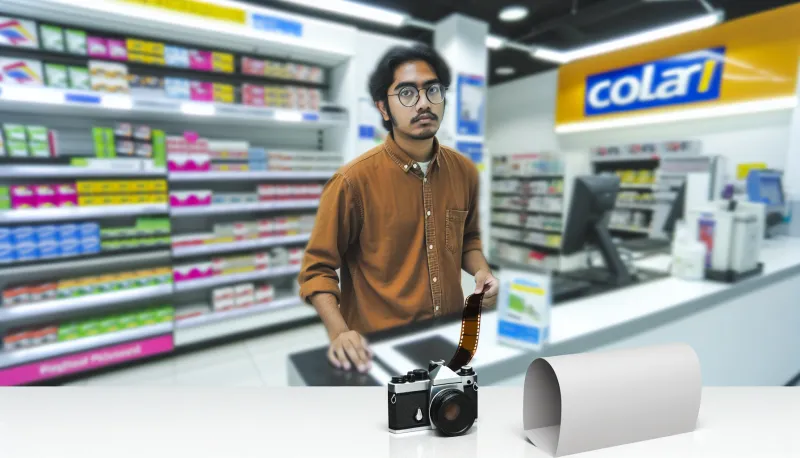
When you walk into a CVS with a roll of film, the interaction at the photo counter creates the impression of a straightforward local service. You hand over your film, fill out an envelope, and receive a claim ticket. It feels like your film will be processed right there.
The reality is entirely different.
CVS does not have film processing equipment in any of its retail stores. The machines that once existed in the back of the photo department were removed years ago as film volume declined. What happens instead is a multi-step outsourcing chain.
Step 1: Your film sits at the store. After you drop off your roll, it waits in a collection bin for the next scheduled courier pickup. Depending on the location, courier pickups may happen daily, every few days, or weekly. Your film might sit at the store for one to four days before it even begins its journey.
Step 2: Courier transport to a processing facility. A courier collects film from multiple CVS locations and transports it to a regional processing hub. These facilities handle film from thousands of retail drop-off points across the region.
Step 3: Batch processing at the mega-lab. Your roll enters a queue with hundreds or thousands of other rolls. It's processed through high-volume C-41 chemistry, scanned on automated equipment, and run through algorithmic color correction. No human examines your specific frames. No technician makes decisions about your particular roll's color balance or density.
Step 4: Return shipment. Processed film, prints, and digital files ship back to your CVS location. This leg of the journey takes another one to three days.
Step 5: Notification and pickup. CVS contacts you (usually by phone or text) when your order is ready for retrieval.
This entire chain means your film passes through multiple hands, vehicles, and facilities before coming back to you. Each transfer point introduces delay and risk.
What CVS Film Developing Costs
CVS film developing pricing varies slightly by location and changes periodically, but the general range is consistent. As of 2026, expect to pay roughly $15-$18 for a standard develop-and-scan of a 35mm roll with 4x6 prints included. Some locations charge closer to $12 for develop-and-scan without prints.
The exact pricing at your local CVS may differ. Call your specific store before making a trip.
What's notable about this pricing is how close it is to professional lab rates. The gap between CVS developing and a dedicated film lab is often only a few dollars per roll, while the quality difference is substantial. Professional labs charge moderately more for dramatically better scan resolution, manual color correction, and guaranteed negative return.
CVS Film Developing Turnaround Time
CVS typically quotes 7-10 business days for film developing. In practice, the actual turnaround often extends to 10-14 business days, and during busy periods (holidays, summer vacation season), waits of two to three weeks are common.
These timelines are a direct consequence of the outsourcing model. Your film has to travel to a facility, wait in a processing queue, get processed, and travel back. Each stage adds time that doesn't exist when film is processed locally.
There is no rush option at CVS. You cannot pay extra to get your film back faster. The courier schedule and processing facility queue determine your turnaround regardless of urgency.
For context: Professional labs typically turn around film in 4-6 business days, with same-day or next-day rush options available. If getting your photos back quickly matters to you, CVS is the slower option by a significant margin.
What Types of Film CVS Accepts
This is where CVS limitations become most significant. CVS only processes C-41 color negative film. This includes popular stocks like:
- Kodak Gold
- Kodak ColorPlus
- Kodak Portra (160, 400, 800)
- Kodak Ektar 100
- Fujifilm Superia / Fuji C200
- Any other standard color negative 35mm film
What CVS Cannot Process
Black and white film: CVS cannot process traditional black and white films like Kodak Tri-X, Ilford HP5 Plus, Ilford Delta, Kodak T-Max, or Fomapan. These require dedicated black and white chemistry that CVS's third-party processors don't maintain for retail orders. If you send traditional B&W film through CVS's C-41 process, the negatives will be ruined.
There is one exception: chromogenic black and white films like Ilford XP2 Super and Kodak Professional BW400CN are designed for C-41 processing and can go through CVS. But these are specific products, not a general B&W capability.
Slide film (E-6): CVS cannot process E-6 slide films like Kodak Ektachrome, Fujifilm Velvia, Fujifilm Provia, or any other reversal film. E-6 processing requires entirely different chemistry and handling. Slide film sent to CVS will either be returned unprocessed or processed incorrectly.
120 medium format film: CVS handles 35mm only. If you shoot medium format on 120 roll film, you need a professional lab.
110 film or other obsolete formats: Some specialty labs process 110 and APS film, but CVS does not.
Push or pull processing: If you shot your film at a non-standard ISO (for example, Portra 400 shot at ISO 1600), the development time needs to be adjusted accordingly. CVS processes every roll identically with no accommodation for push or pull requests. Film that needs adjusted development will be processed normally, resulting in underexposed or overexposed results.
Mail-In Your Film From Anywhere
Ship your film to our Brooklyn lab and get professional scans delivered to your inbox. Free shipping on 4+ rolls.
CVS Scan Quality: What You Actually Get
The scan resolution from CVS developing is the single biggest quality limitation. CVS's third-party processing partners typically deliver scans in the range of 1-4 megapixels, roughly 1024x1536 to 2048x3072 pixels.
To put that in perspective: a 2-megapixel scan is adequate for social media sharing and 4x6 prints. It is not adequate for 8x10 prints, large-format displays, or any application requiring detail and resolution. You are getting a fraction of the information that actually exists on your negatives.
Professional lab standard scans typically deliver 6.5 megapixels or higher. High-resolution scans reach 20-30+ megapixels, extracting nearly all the detail your film captured. The difference is visible at any viewing size larger than a phone screen.
Color correction at CVS is fully automated. Algorithms analyze the average density and color of each frame and apply standardized adjustments. This works reasonably well for straightforward daylight exposures. It fails noticeably with mixed lighting, intentional creative choices, tungsten light, fluorescent environments, or any situation that deviates from "normal." There is no human reviewing your specific images for color accuracy.
Does Walgreens Develop Film?
Yes, Walgreens still develops film in 2026, and the service is functionally identical to CVS. Walgreens does not process film in-store. They use the same outsourcing model: your film is collected by a courier, shipped to a third-party processing facility, developed and scanned in batch, and returned to the store.
The limitations are the same: C-41 only, no B&W, no slide film, no push/pull, no 120, low-resolution scans, automated color correction, and turnaround times of 7-14+ business days.
Pricing at Walgreens is comparable to CVS, typically in the $12-$18 range for develop and scan.
If you're choosing between CVS and Walgreens for film developing, there is no meaningful quality difference. Both use the same outsourcing model with the same limitations.
Does Walmart Develop Film?
Yes, Walmart still accepts film for developing at many locations in 2026. Like CVS and Walgreens, Walmart does not process film in-store. The film is shipped to an external processing facility.
Walmart's film developing shares the same fundamental limitations: C-41 only, low-resolution scans, automated processing, extended turnaround times. Pricing tends to be slightly lower than CVS and Walgreens, but the quality tradeoffs are identical.
Availability varies significantly by location. Not all Walmart stores still accept film. The photo centers have been phased out at many locations, particularly smaller stores. Call your local Walmart before making a trip specifically to drop off film.
Does Costco Develop Film?
No. Costco discontinued its in-store film developing service and has not brought it back. Costco photo centers, which once offered remarkably good film developing on professional Noritsu equipment, were shut down as part of a broader elimination of in-store photo services.
This is genuinely unfortunate. Costco's film developing was a rare example of a retail chain offering professional-quality processing at consumer prices. The equipment and operators were significantly better than what CVS and Walgreens offer through their outsourced services. That option no longer exists.
Does Target Develop Film?
No. Target does not offer film developing at any of its stores. Target exited the film developing business years ago and has not returned to it.
Does Rite Aid Develop Film?
As of 2026, Rite Aid has been closing locations at a significant rate, and film developing availability at remaining stores is extremely limited. Even at locations that technically accept film, the service uses the same outsourced model as CVS and Walgreens. Rite Aid should not be considered a reliable option for film developing.
When Drugstore Developing Is Fine
Despite the limitations, there are legitimate use cases for CVS or Walgreens film developing.
Disposable cameras from casual events. If you handed out disposables at a party and want to see what's on them without investing in professional processing, drugstore developing is adequate. The images are typically casual snapshots where maximum quality isn't the goal.
Testing whether a used camera works. If you just bought a camera from a thrift store and want to confirm it functions before committing to professional processing, a cheap test roll through CVS tells you what you need to know.
Convenience when no other option exists. If you're traveling, far from any professional lab, and need basic processing, a local drugstore gets the job done. The results won't be premium, but they'll exist.
Budget is the absolute priority. If the few-dollar difference between drugstore and professional processing genuinely affects your ability to keep shooting, drugstore developing lets you keep shooting.
When Drugstore Developing Falls Short
For the majority of situations where photographers intentionally choose to shoot film, drugstore developing underdelivers.
Any image you care about. Travel photos, portraits, event coverage, creative projects, personal documentation. If the images matter enough that you'd be disappointed by mediocre results, professional processing is worth the modest additional cost.
Black and white film. CVS simply cannot process it. Sending traditional B&W to a C-41 process destroys the negatives permanently.
Slide film. Same situation. E-6 film requires E-6 chemistry. No drugstore provides it.
Film that needs push or pull processing. If you shot your Portra at 1600 or your Tri-X at 3200, you need a lab that can adjust development time. Drugstores process everything identically.
Medium format or specialty film. 120 film, 110 film, or any non-standard format requires a professional lab.
When you want prints larger than 4x6. Low-resolution drugstore scans degrade noticeably at print sizes beyond 4x6. If you want 8x10s, 11x14s, or larger, you need higher-resolution scans.
When you need your photos back quickly. Two to three weeks is a long time to wait. Professional labs deliver in 4-6 days, with rush options available.
When negative preservation matters. Drugstore negative return policies are inconsistent. Some locations return negatives; others discard them. Your negatives are the originals from which all future scans and prints derive. Losing them is permanent.
Better Alternatives to CVS Film Developing
Professional Film Labs (In-Person)
If a professional film lab exists within reasonable distance, it's almost always the better choice. Professional labs process in-house, use professional scanning equipment, apply manual color correction, offer multiple resolution options, and return your negatives in archival sleeves.
The turnaround is faster (4-6 business days vs. 2-3 weeks), the scan quality is dramatically higher, and you have direct communication with the people handling your film.
Check our film developing and scanning services for details on what professional processing includes.
Mail-In Film Labs
If no professional lab exists locally, mail-in services let you ship your film to a dedicated lab anywhere in the country. You package your film, ship it, and receive your scans digitally plus negatives returned by mail.
Mail-in adds shipping time in both directions, but the processing quality matches in-person professional service. Many photographers prefer mailing film to a trusted lab over settling for local drugstore quality.
Kubus Photo Service accepts mail-in orders from anywhere in the United States. Ship your film to our Brooklyn lab, and we'll develop, scan, and return your negatives. Free return shipping on orders of 4+ rolls.
Home Development
Developing black and white film at home is accessible and affordable. The chemistry costs are modest, the equipment is minimal (developing tank, thermometer, measuring containers, chemicals), and the process is well-documented. If you shoot a lot of B&W, home developing can reduce your per-roll cost significantly and give you creative control over the process.
Home C-41 color developing is also possible but more temperature-sensitive and less forgiving of error. Most photographers who develop at home stick to B&W and send color to a professional lab.
Home development does not include scanning. You'll need a separate scanning solution, whether a dedicated film scanner, a flatbed scanner with a film holder, or a professional scan service for your home-developed negatives.
The True Cost Comparison
When people compare CVS developing to professional lab developing, they often focus on the per-roll price difference. But the total cost equation includes factors beyond the processing fee.
Film cost: A roll of Kodak Gold costs roughly $8-$12. A roll of Portra 400 costs $12-$15. You've already invested significantly before processing begins.
Your time and effort: You composed shots, waited for light, traveled to locations, and chose your moments carefully. That investment has real value.
Opportunity cost of low-quality scans: If you get back muddy, low-resolution scans from a drugstore, you may need to pay for professional rescanning to get usable files. That doubles your processing cost rather than saving money.
Lost negatives: If a drugstore discards your negatives, rescanning isn't even possible. Those images are locked into whatever low-quality scan was originally delivered.
The few dollars saved on drugstore developing can end up costing more in rescanning fees, lost images, and frustration. For images you care about, professional processing is the more economical choice in the long run.
What to Do If You Already Used CVS
If you've had film developed at CVS and you're unhappy with the results, there may be options.
If you have your negatives: Professional rescanning can dramatically improve your files. A lab with a Noritsu or Frontier scanner can extract far more detail and apply proper color correction to negatives that were originally scanned on automated equipment. Bring your negatives to a professional lab and ask about rescanning services.
If your negatives were discarded: Unfortunately, the low-resolution scan files are all that remain. You can improve them somewhat with digital editing, but the information that was never captured in the scan cannot be recovered. This is the most costly consequence of drugstore processing.
Going forward: Consider professional processing for future rolls. The quality improvement is immediately visible, and the price difference is modest enough that most photographers find it worthwhile.
Frequently Asked Questions
Does CVS develop disposable cameras?
Yes. CVS accepts disposable cameras for developing. Staff will break open the camera casing to access the film canister, then process the film through their standard C-41 outsourced service. The same turnaround times and quality limitations apply as with standard 35mm film. If the disposable camera contains images you truly care about (wedding, special event), consider professional processing instead.
How long does CVS take to develop film?
CVS quotes 7-10 business days, but actual turnaround is often 10-14 business days. During busy periods (holidays, summer), waits can extend to two to three weeks. There is no rush or expedited option. Professional labs typically deliver in 4-6 business days with same-day rush options available.
Does CVS develop black and white film?
No. CVS can only process C-41 color negative film. Traditional black and white films (Kodak Tri-X, Ilford HP5, T-Max, Delta, Fomapan) require different chemistry that CVS does not offer. Sending traditional B&W film through CVS's C-41 process will ruin the negatives permanently. The only exception is chromogenic B&W films specifically designed for C-41 processing, like Ilford XP2 Super.
Does CVS return negatives?
Policy varies by location and can change without notice. Some CVS stores return negatives automatically, some return them only if you request it at drop-off, and some discard negatives entirely. Always ask explicitly at drop-off whether you'll get your negatives back, and confirm they've noted your request on the order envelope. Professional labs always return negatives as standard practice.
Is CVS film developing good quality?
The developing itself (chemical processing) is standard C-41 and generally adequate. The scanning quality is the primary limitation: low resolution (1-4 megapixels), automated color correction with no human review, and no options for higher quality. The results work for social media and small prints but fall short for larger prints, archival purposes, or situations requiring accurate color.
Can I get digital files from CVS film developing?
Yes. CVS typically provides digital files either on a CD or through an online download link, depending on the location. The files are the same low-resolution scans described above. They're adequate for sharing on social media or messaging apps but insufficient for high-quality printing or archival purposes.
Is it cheaper to develop film at CVS or a professional lab?
CVS developing typically costs $12-$18 per roll. Professional labs typically charge somewhat more for standard develop and scan. The price gap is often modest, especially when you consider that professional labs deliver 3-10x higher scan resolution, manual color correction, and guaranteed negative return. Per dollar spent, professional processing delivers significantly more value.
What happened to 1-hour photo?
One-hour photo processing required in-store developing and printing equipment, trained operators, and fresh chemistry. As film volume declined through the 2000s and 2010s, maintaining this infrastructure became economically unviable for retail stores. Virtually all 1-hour photo operations in drugstores have been replaced by the outsourced model described in this article. For fast turnaround, professional labs with rush options are the modern equivalent.
Related Articles
Does CVS Develop Film? CVS vs Walgreens vs Professional Lab Compared
Drugstore film developing costs about the same as professional labs but delivers dramatically different results. This detailed comparison covers scan resolution, color accuracy, turnaround time, and negative return policies to help you choose where to send your film.
How Much Does Film Developing Cost in 2026? Complete Price Guide
Film developing costs $12-25 per roll in 2026. Get the complete breakdown of drugstore vs. professional lab pricing for 35mm, 120, disposable cameras, and black and white film with honest advice on where to spend and where to save.
How Long Does Film Developing Take? Turnaround Times Explained
A detailed breakdown of film developing turnaround times for C-41, B&W, and E-6 processes. Covers professional lab timelines, drugstore wait times, mail-in shipping windows, rush and same-day options, and what factors affect how quickly you get your photos back.
Ready to Develop Your Film?
We're a family-run film lab in Williamsburg, Brooklyn, developing film since 1994. Whether you drop off in store or mail your rolls from anywhere in the US, we treat every frame with care.
How to Mail In Film for Developing: Complete Step-by-Step Guide
Learn exactly how to safely mail your film for professional developing. Step-by-step guide covering packing, shipping options, what to expect, and how to get the best results from a professional film lab.
Read the Complete Guide